
Essential Cybersecurity Tips: How to Build an Unbreachable Digital Perimeter
In an age where our lives are entirely synchronized with the cloud, security is no longer an afterthought—it is a baseline requirement. Every day, sophisticated threat actors deploy automated malware, complex social engineering schemes, and widespread credential harvesting campaigns. Relying on basic, outdated safety habits leaves your personal data, financial assets, and digital footprint highly vulnerable to exploitation.
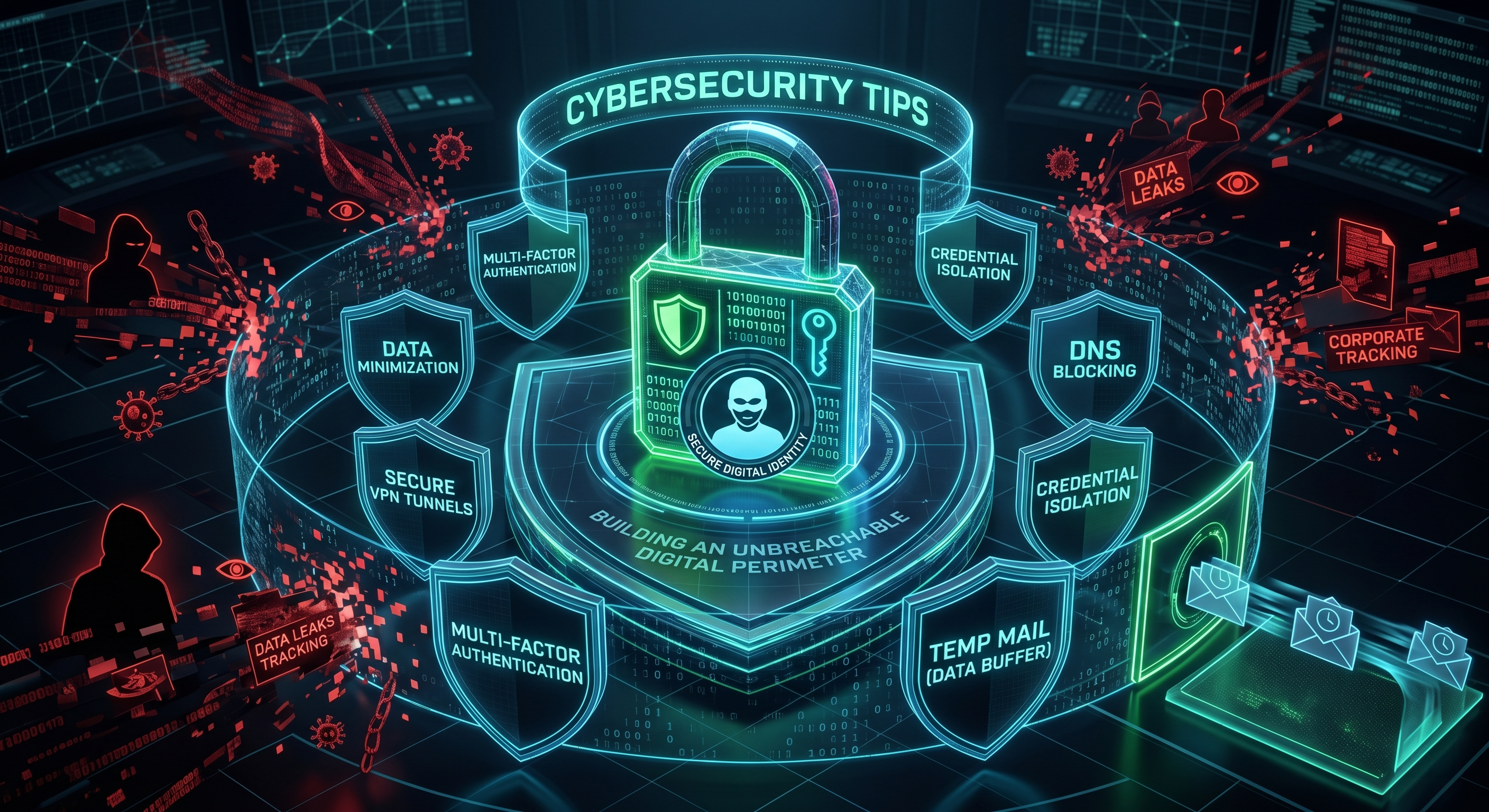
True digital protection requires a proactive, multi-layered approach to security. While deploying firewalls and heavy antivirus software helps, the most critical vulnerability remains user behavior and how credentials are distributed across the web. In this comprehensive guide, we will break down actionable cybersecurity tips, expose the weak links in standard browsing habits, and reveal how utilizing a temporary email (temp mail) architecture acts as an essential buffer in your defensive ecosystem.
1. The Foundation of Modern Cyber Hygiene
Most cyberattacks do not rely on complex software exploits to break into accounts; instead, they simply exploit weak user habits. Establishing robust cyber hygiene means setting up systemic roadblocks that stop hackers even if one of your defensive layers fails. Building this foundation relies on a few non-negotiable principles:
- Cryptographic Password Isolation: Using variations of the same password across multiple sites creates a domino effect. When a minor site is breached, attackers use those exact credentials to unlock your vital accounts.
- Out-of-Band Authentication: Relying solely on a password is a single point of failure. Multi-factor authentication adds a secondary, time-sensitive verification layer that a remote hacker cannot easily intercept.
- Attack Surface Reduction: The less data you leave behind on random platforms, the smaller your vulnerable perimeter becomes. If a database does not have your real information, it cannot lose it.
2. Top Vulnerabilities Plaguing Everyday Users
Cybercriminals constantly monitor human psychology to find the easiest entry points. Understanding these common tactical vectors allows you to recognize threats before clicking a malicious link or submitting sensitive credentials:
- Sophisticated Phishing (Social Engineering): Attackers clone legitimate banking, shipping, or corporate login portals, sending urgent notifications to trick you into entering your master passwords directly into their harvesting scripts.
- Unpatched Software Vectors: Operating systems, web browsers, and extensions frequently harbor zero-day vulnerabilities. Delaying updates leaves an open window for drive-by malware installations.
- Public Wi-Fi Eavesdropping: Unencrypted public networks allow threat actors to perform Man-in-the-Middle (MitM) attacks, capturing unencrypted data packets, session cookies, and login tokens sent from your device.
3. Threat Mitigation Matrix: Weak Habits vs. Secure Protocols
Upgrading your digital defenses requires replacing high-risk habits with secure, automated protocols. The matrix below contrasts standard vulnerable behaviors with recommended cybersecurity practices:
| Attack Vector | High-Risk Everyday Habit | Hardened Cybersecurity Protocol |
|---|---|---|
| Account Creation | Using a primary personal email for every web app and forum. | Deploying an anonymous temp mail address for non-vital sites. |
| Password Generation | Memorable phrases, birthdays, or repeating patterns. | Randomly generated 16+ character strings via an encrypted vault. |
| Identity Verification | Standard password alone or easily intercepted SMS codes. | Hardware security keys or app-based authenticator tokens (2FA). |
| System Maintenance | Clicking "Remind Me Later" on software update prompts. | Enabling automated overnight background patching for all devices. |
| Network Connectivity | Connecting automatically to open, free airport or café Wi-Fi. | Utilizing a dedicated, heavily encrypted VPN tunnel on public networks. |
4. Why Temp Mail is a Critical Cybersecurity Component
When discussing cybersecurity tips, experts emphasize using complex tools, but they often overlook the power of data minimization. Every time a web form forces you to provide an email address to look at a menu, test software, or join a community, it exposes a piece of your identity. A temporary email acts as an active countermeasures deployment system.
By routing low-tier interactions through an anonymous disposable inbox, you structurally separate your critical digital identity from the volatile open web. If that forum is targeted by a SQL injection attack or an automated data scraper down the line, the compromised vector leads straight to a completely dead, self-destructed mailbox. Your true accounts remain insulated from the breach radius.
Pro Tip: True cybersecurity isn't about building a wall so tall that no one can climb it; it's about making sure that if an attacker climbs the wall, they find absolutely nothing of value inside.
5. Advanced Steps to Harden Your Digital Infrastructure
Take immediate control of your operational security by executing these five advanced steps to transform your device configurations into an unyielding shield:
1. Migrate to App-Based or Hardware 2FA
Ditch SMS-based authentication entirely. SIM-swapping attacks allow hackers to redirect your text messages to their own devices. Switch to secure, local seed-based apps like Google Authenticator, Aegis, or physical YubiKeys.
2. Quarantine Low-Trust Web Testing
Never give your real name, birthdate, or main contact data to software tools during a trial phase. Always combine an anonymous browser session with a disposable temp mail address to perform risk-free evaluations.
3. Audit App and Extension Permissions
Web browser extensions and phone apps frequently update their terms to scrape background data. Audit your permissions quarterly; remove any tool that demands access to your location, contacts, or storage without a strict operational reason.
4. Implement DNS-Level Filtering
Change your router or device DNS settings to a security-first provider that natively blocks known malicious domains, phishing trackers, and malware command-and-control networks before those data packets ever reach your browser.
5. Segment Your Network Traffic
If you run smart home or IoT devices, isolate them on a separate guest network. Smart bulbs and cheap security cameras have notoriously weak security protocols; keeping them segmented prevents a compromise from bleeding over to your personal computers.
Conclusion: Security is an Ongoing Discipline
Cybersecurity is not a static product you buy and install; it is an active discipline you practice during every browsing session. By taking accountability for your data footprint, eliminating credential reuse, and using clever operational buffers like temporary mail, you eliminate the low-hanging fruit vulnerabilities that hackers love to exploit.
Stay sharp, keep your personal data heavily guarded, and build a digital lifestyle where your privacy is guaranteed by design.